Platform capabilities
Membership tracking, payments,
and attendance — in one place.
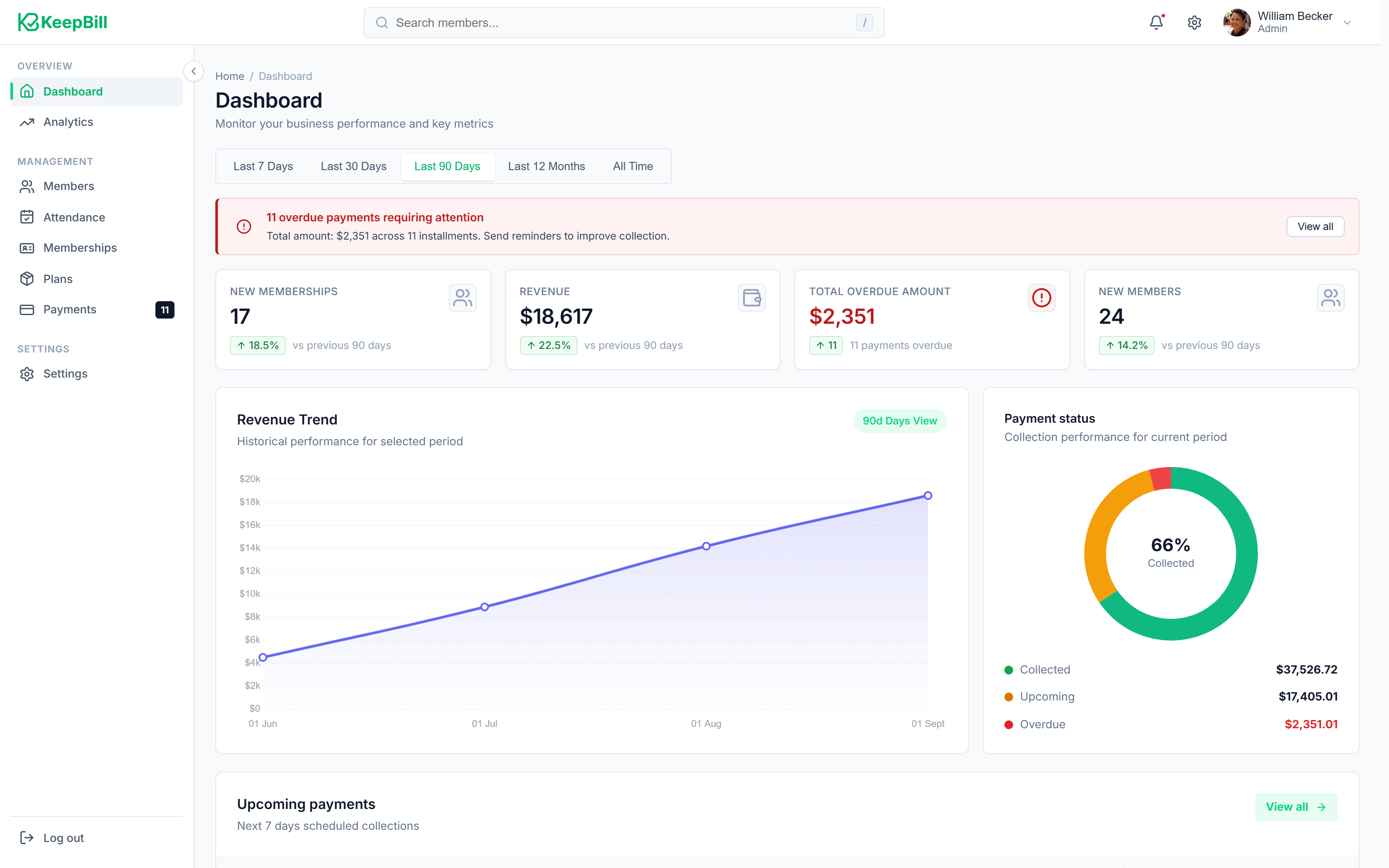
KeepBill replaces the spreadsheets, notebooks, and scattered WhatsApp messages that gyms, coaching centres, and studios use to manage their members. Create billing plans, check members in with barcode scanning, record payments with zero platform commission, and send renewal reminders automatically.
The daily reality of running a membership business
Most gyms, studios, and coaching centres manage memberships using some combination of spreadsheets, paper registers, and WhatsApp groups. Here is what that typically looks like.
Renewals slip through
Expiry dates live in spreadsheets that no one checks consistently. Members work out on expired plans because staff cannot memorise hundreds of dates.
Payments are scattered
Cash receipts, card slips, and bank statements exist in different places. Reconciling who paid and who didn't takes hours every month.
Reminders are awkward
Calling members about overdue fees is uncomfortable. Without a system, follow-up is inconsistent — some members get reminded, others don't.
Staff share one login
Front-desk receptionists see the same data as the owner. There's no way to restrict access to revenue numbers or sensitive member information.
Holiday pauses cause disputes
When a member pauses for vacation, calculating the new expiry date manually in a notebook is error-prone and leads to billing disagreements.
Paper files get lost
ID proofs, medical clearances, and signed waivers sit in filing cabinets. Finding a specific document during an audit means digging through folders.
10 modules across 3 capability areas
What KeepBill does, and why each part matters
Every module exists to solve a specific operational problem. Explore each capability area below — or click through to see how a module works in detail.
Plans, members, attendance, and renewals
Membership Operations
Manage the full lifecycle of a membership — from creating billing plans and onboarding members to tracking attendance at the front desk and handling renewals and pauses.
Plan Management
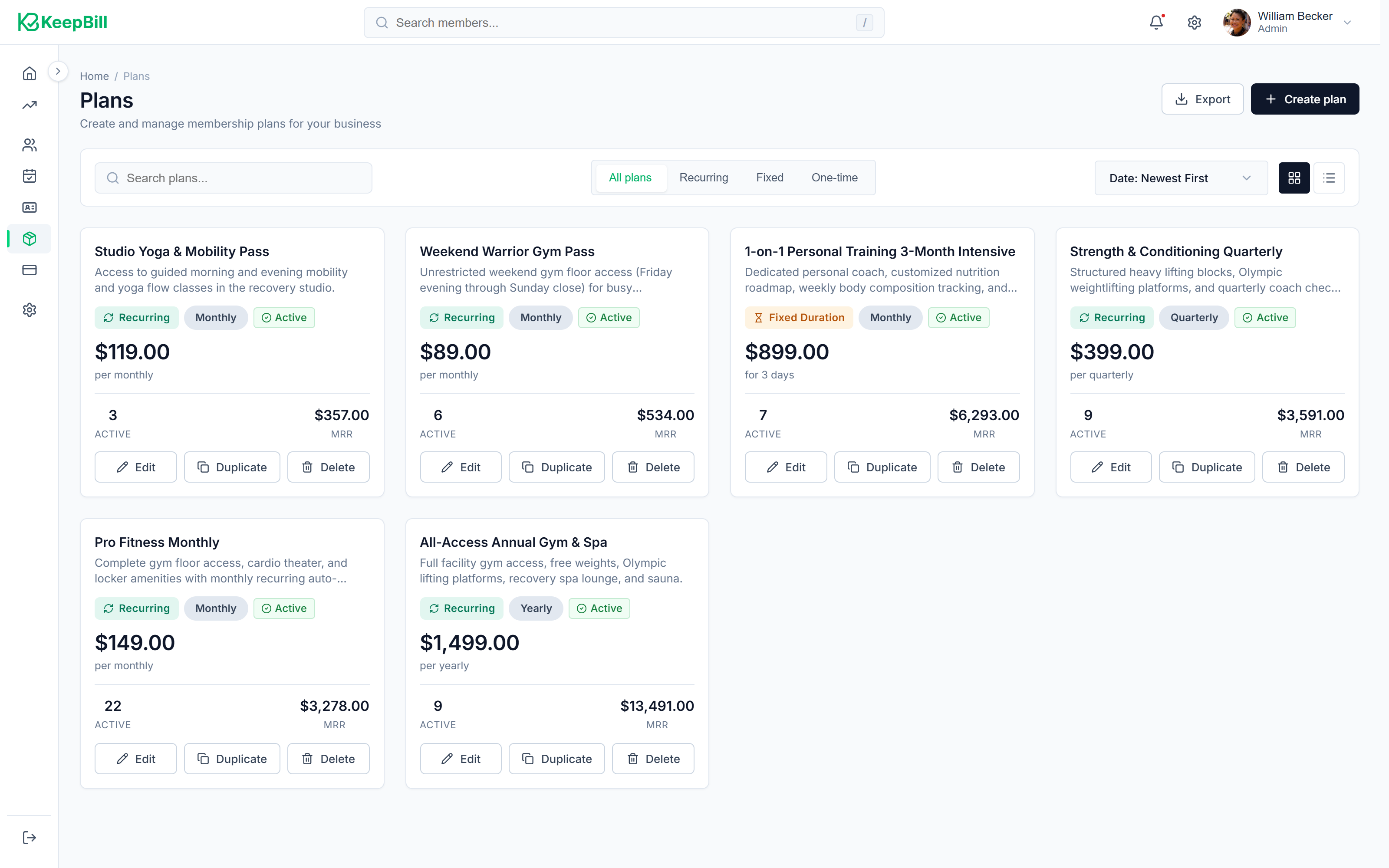
Create recurring, fixed-duration, and add-on membership plans with built-in tax calculations.
Member CRM
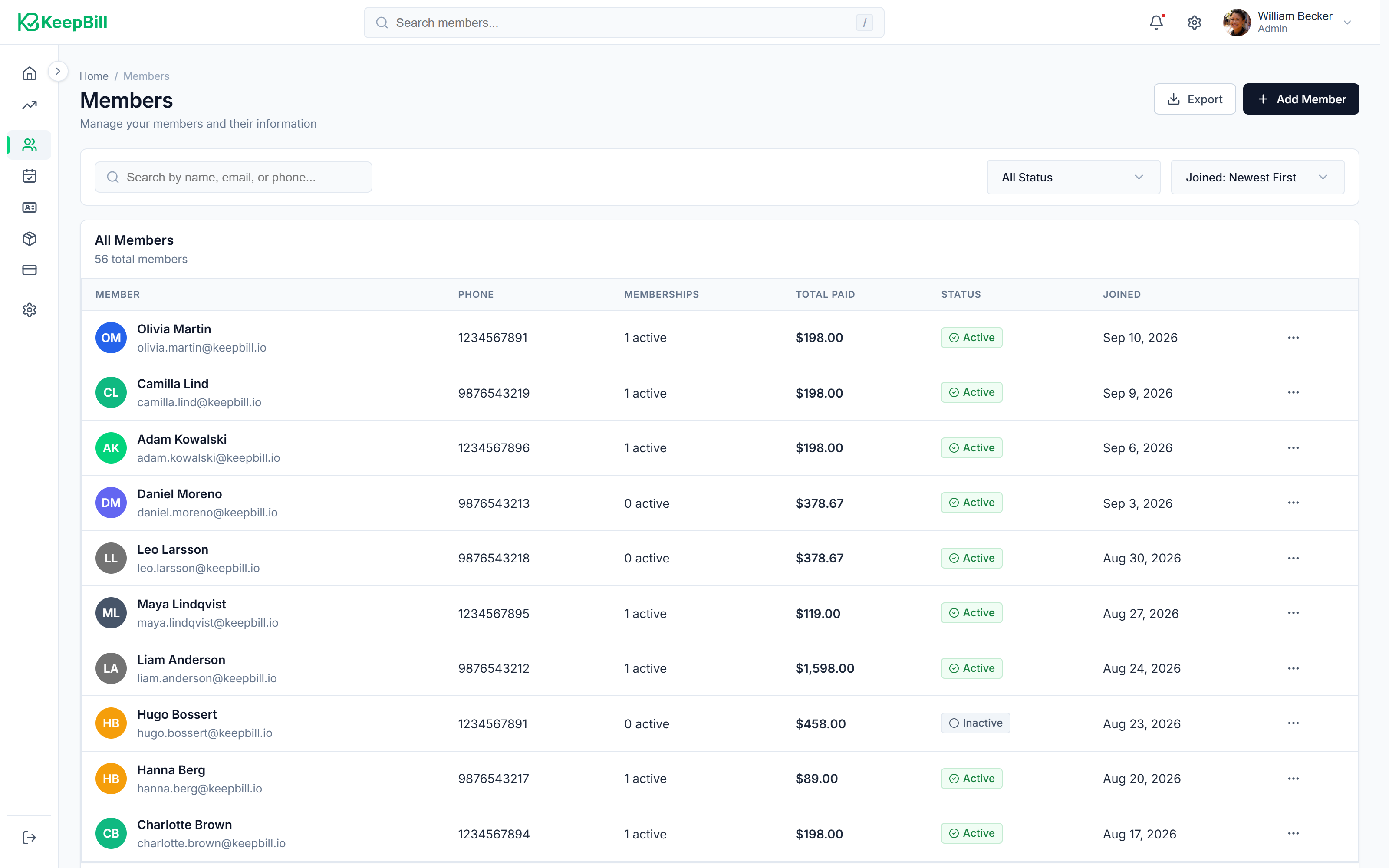
Centralised member records with active subscriptions, payment history, attendance logs, and private notes.
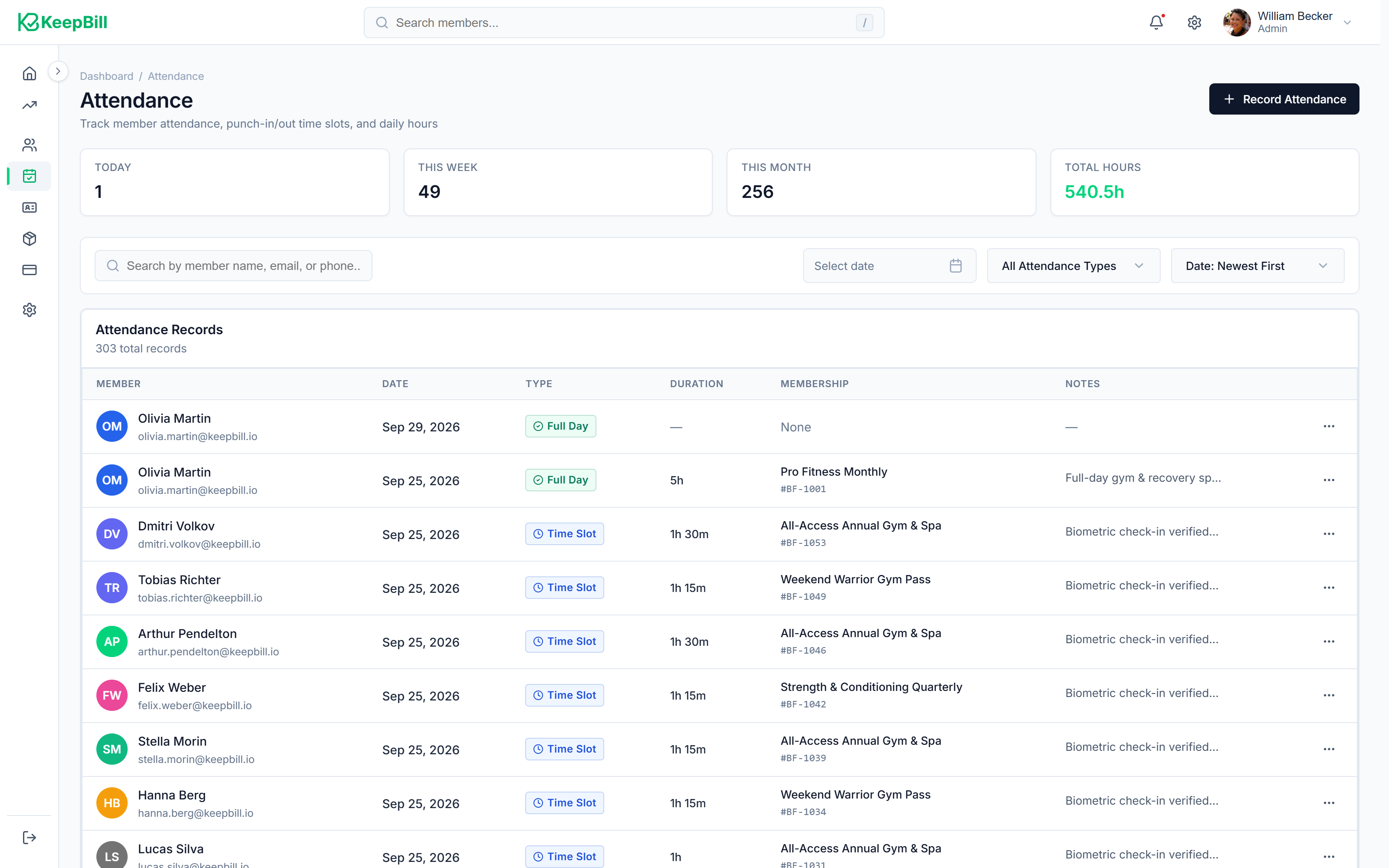
Attendance Tracking
Sub-2-second barcode check-in with live overdue warnings and monthly attendance calendars.
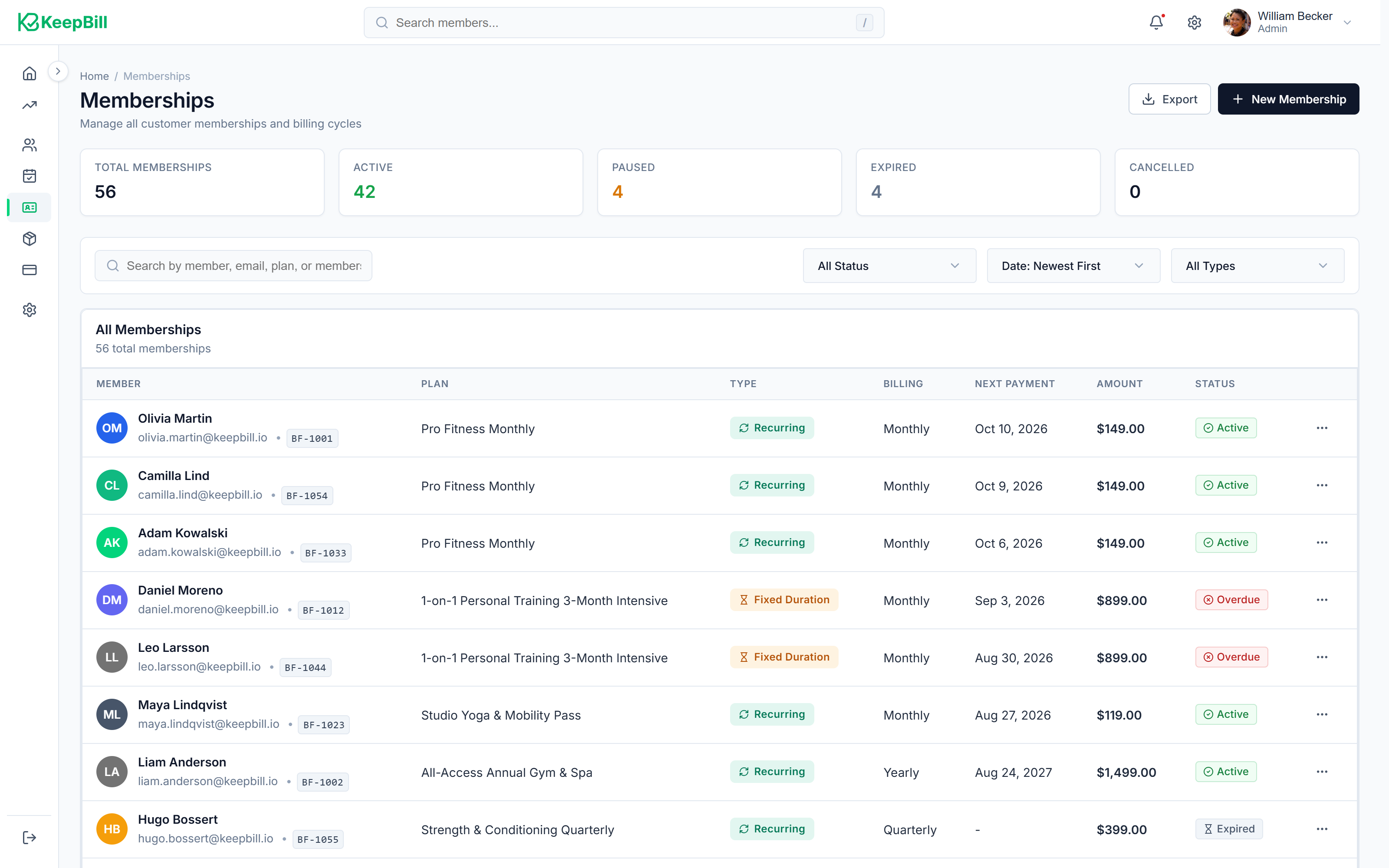
Memberships & Renewals
Track subscription lifecycles with vacation pauses, automatic status transitions, and renewal processing.
Payments, analytics, and automated reminders
Financial Management
Record payments across cash, credit/debit cards, and bank transfers with zero platform commission. Track revenue trends and automate renewal reminders through WhatsApp.
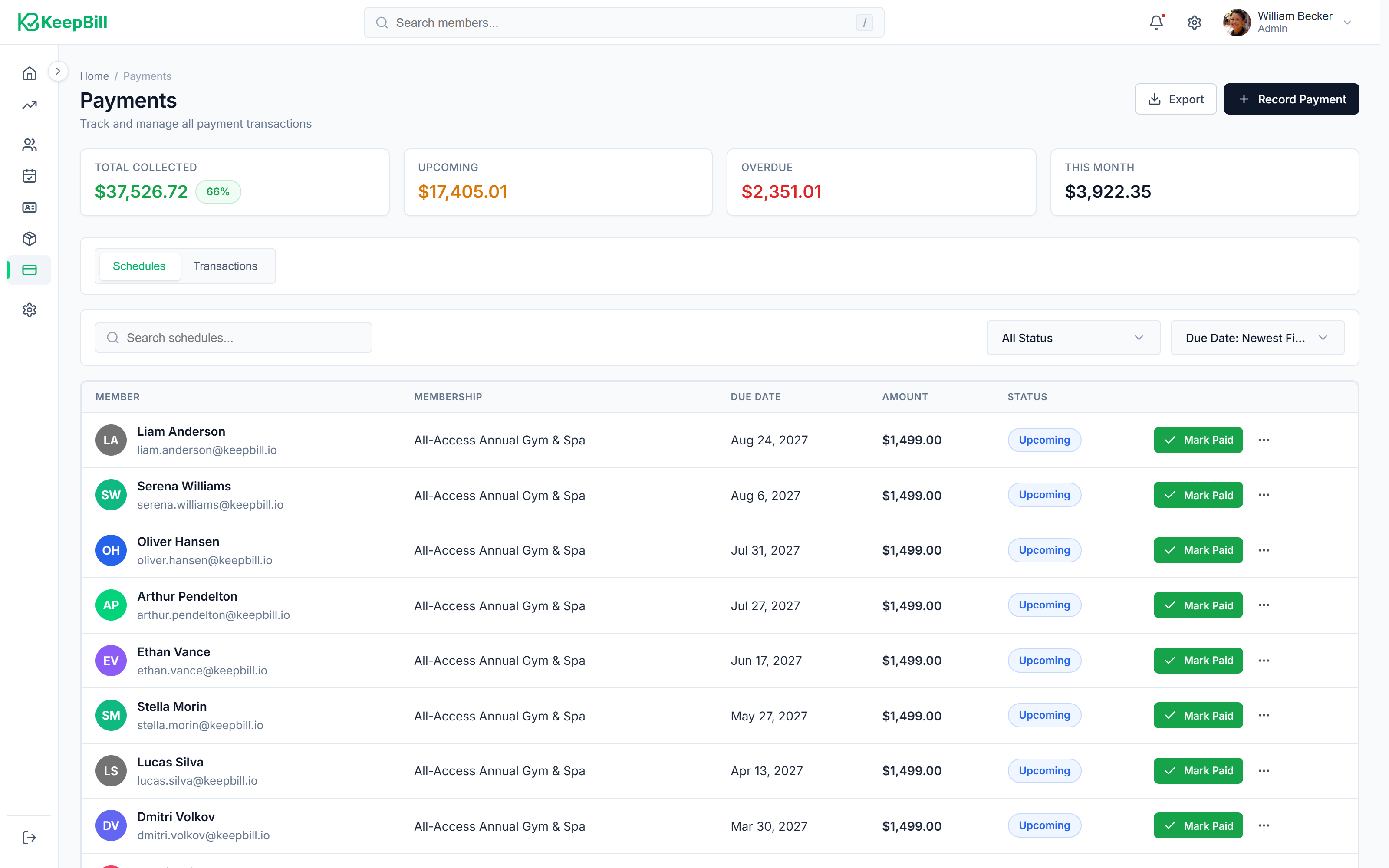
Payments & Invoicing
Unified payment ledger for cash, cards, and direct bank transfers — with zero platform commission.
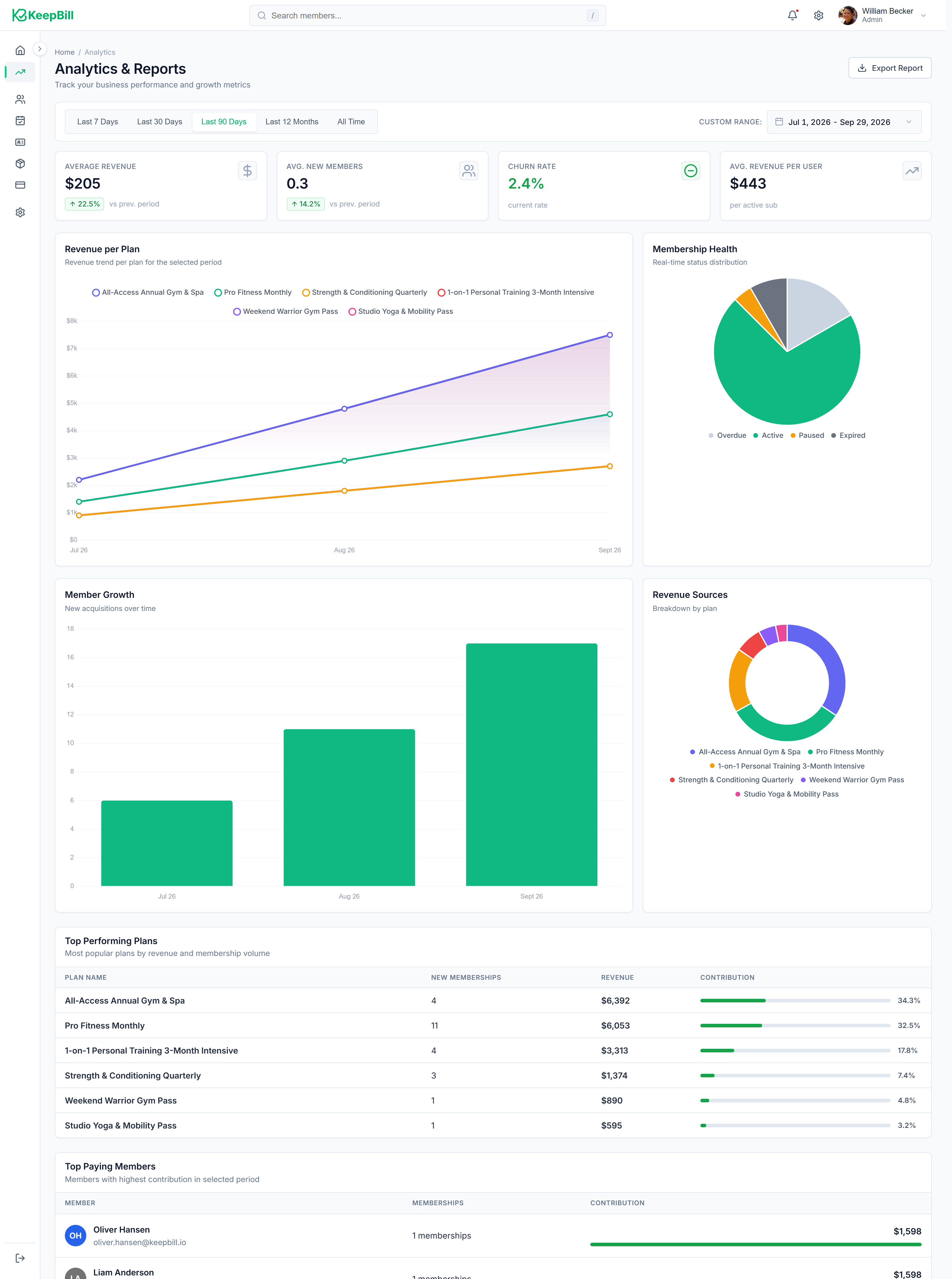
Business Analytics
Track monthly recurring revenue, member growth, payment method distribution, and top-value members.
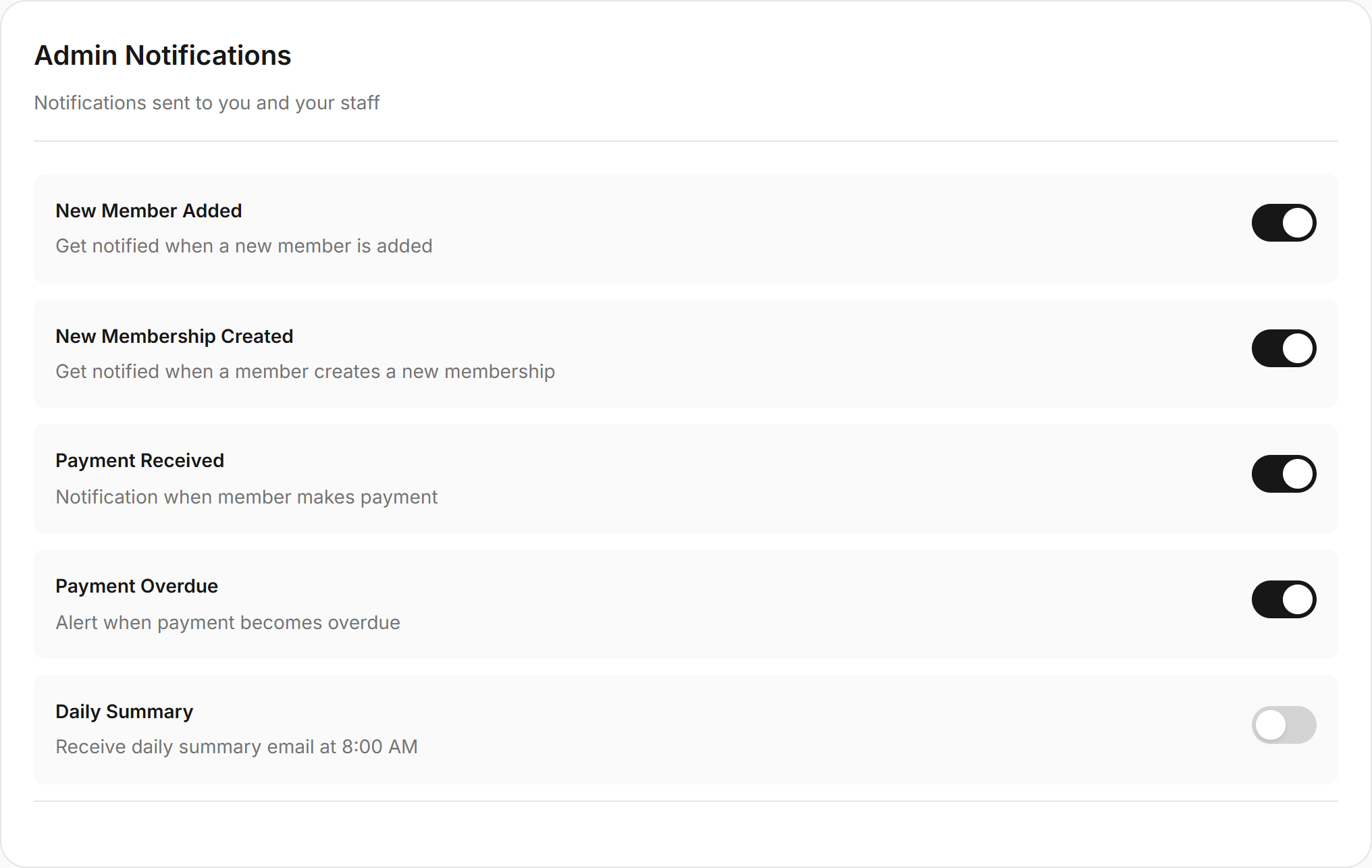
Smart Notifications
Automated WhatsApp and email reminders for renewals, payment confirmations, and welcome messages.
Staff roles, ID cards, documents, and member records
Administration & Compliance
Control who sees what with role-based access, generate branded membership cards with scannable barcodes, and securely store member documents and compliance paperwork.
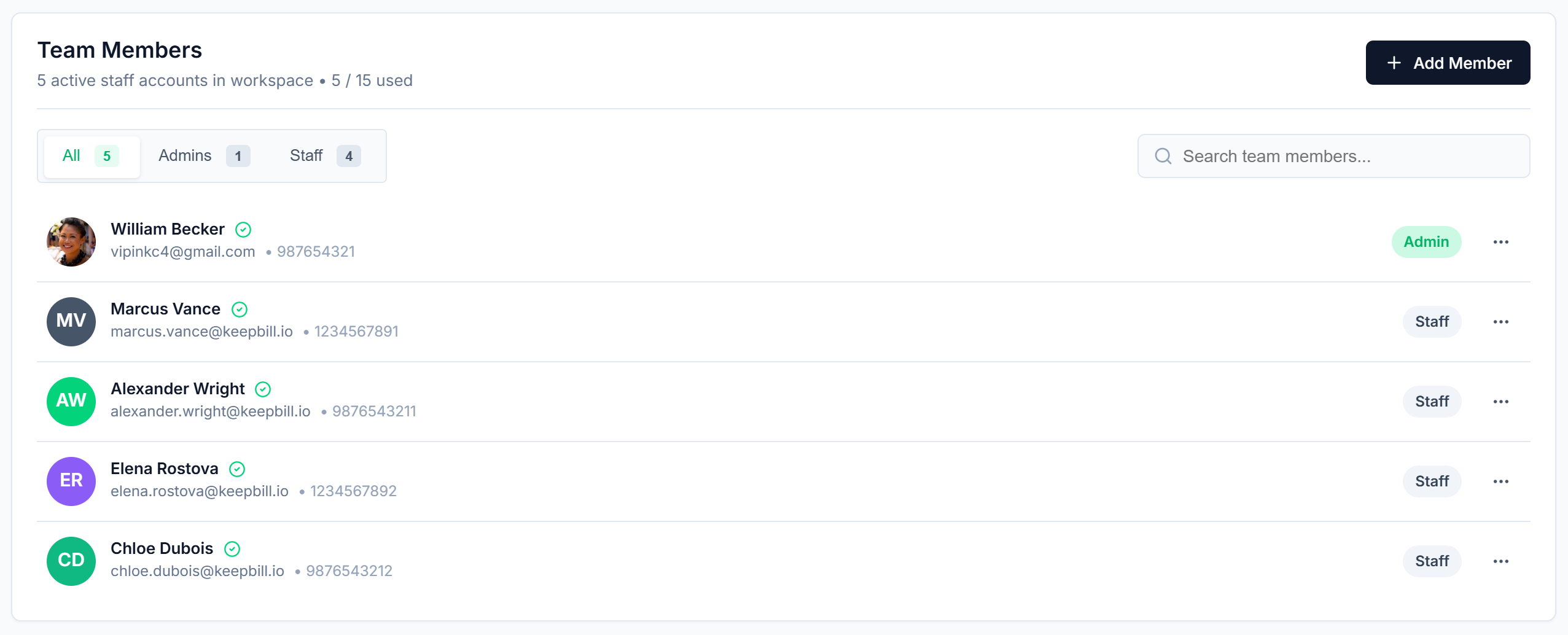
Team Management
Role-based access control with distinct permissions for administrators and front-desk staff.
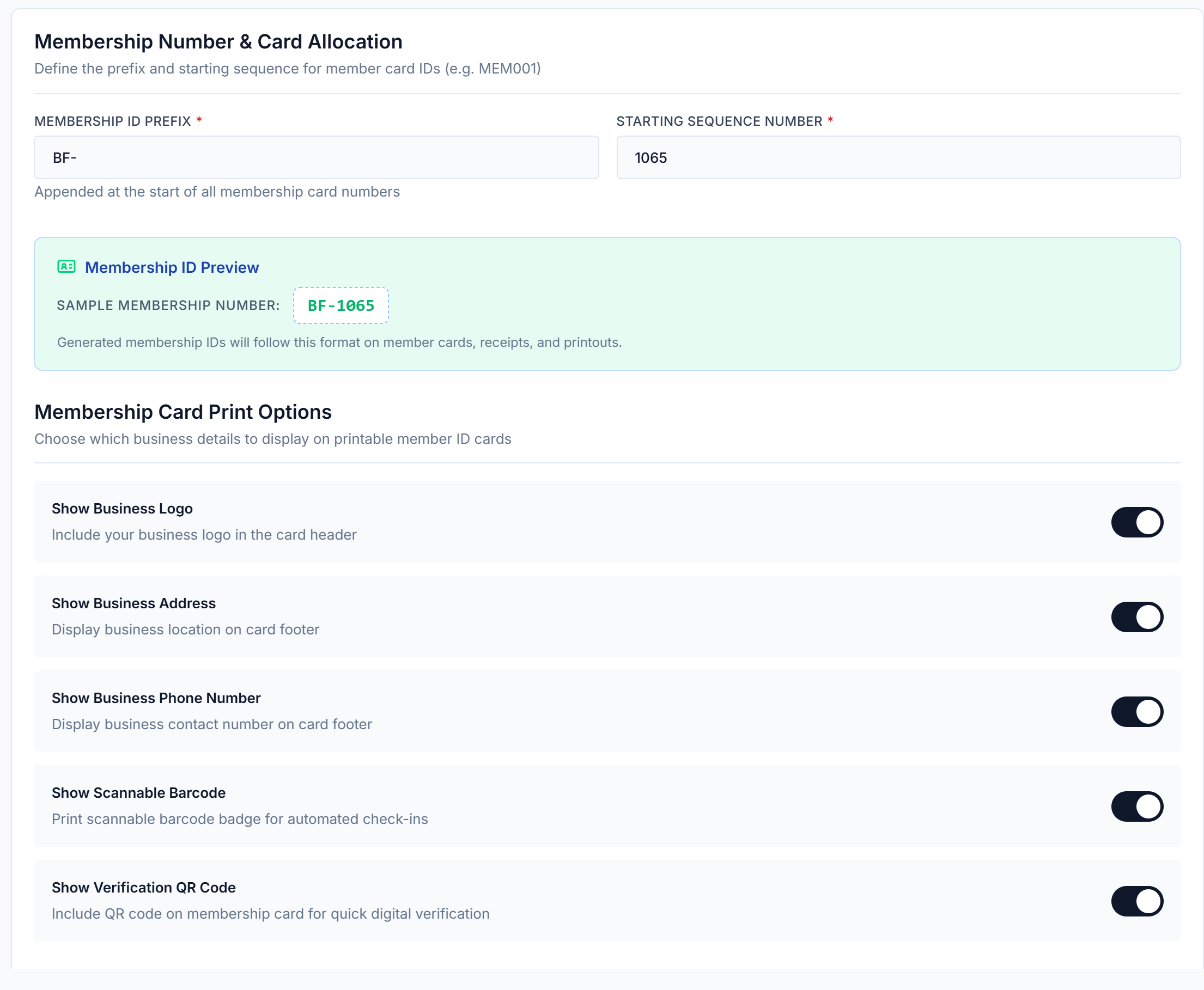
ID Cards & Passes
Generate branded PVC membership cards and digital mobile passes with scannable Code-128 barcodes.
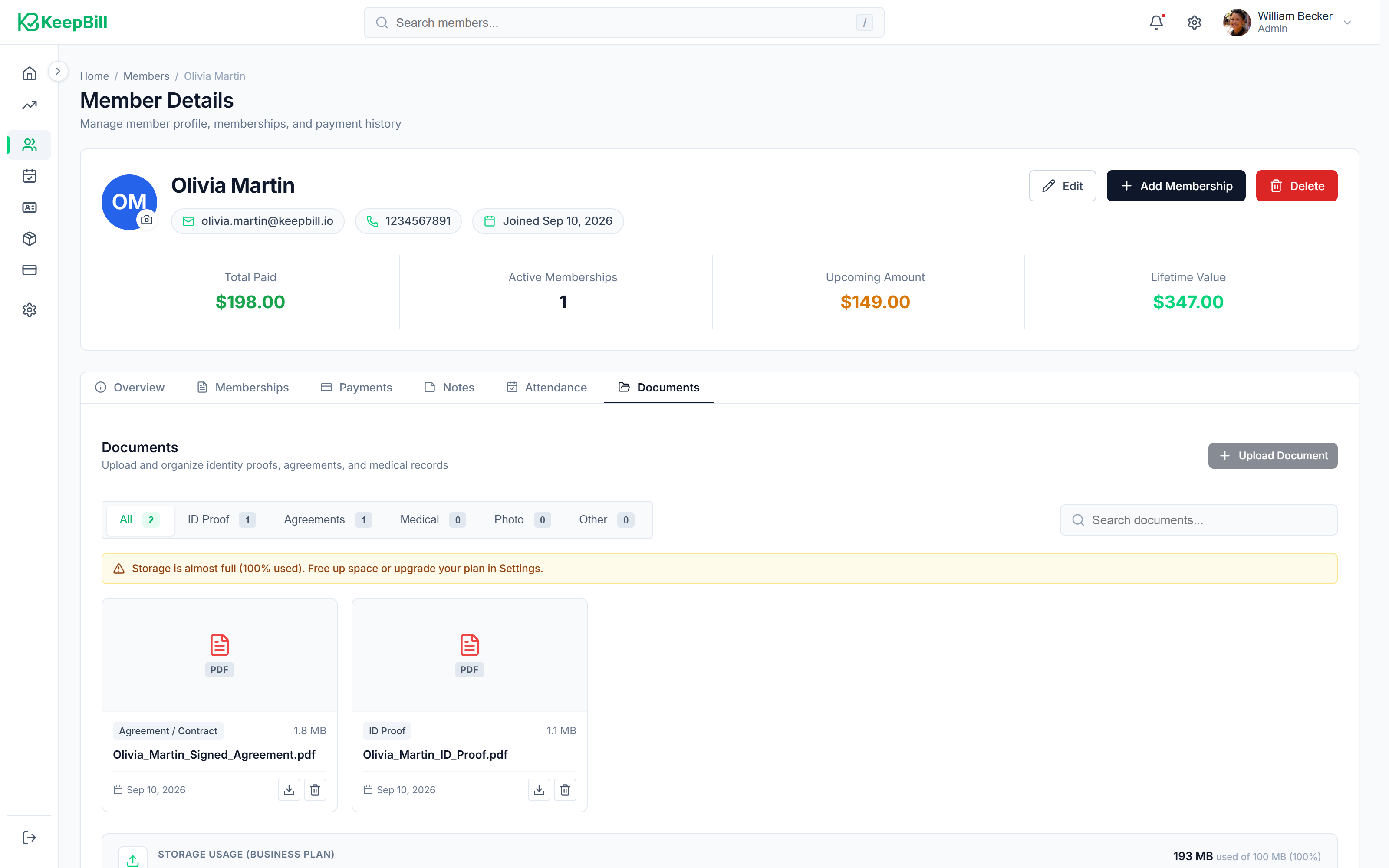
Member Documents
Secure digital storage for ID proofs, medical clearances, signed waivers, and compliance documents.
Product walkthrough
See how it works
Switch between key areas to see actual product screens and understand the workflow from problem to solution.
Plan Management
The problem
Setting up billing cycles manually — monthly, quarterly, annual — involves spreadsheet math, error-prone date calculations, and constant revision when prices change.
How it works
Define a plan once with its billing interval, price, tax rate, and grace period. KeepBill calculates renewal dates automatically for every member assigned to that plan. Clone existing plans to quickly launch promotions or student pricing.
Why it matters
Staff stop doing calendar math. New pricing tiers go live in seconds. Existing members keep their locked-in rates while new signups get the updated price.
Spreadsheets and notebooks vs. KeepBill
A practical comparison of common membership workflows.
How the platform is built
Beyond individual features, these are the foundational qualities that affect everything you do in KeepBill.
Role-based access control
Owners, managers, and front-desk staff each see only what they need. Revenue data stays private. Staff accounts can be revoked instantly.
Fast front-desk performance
Sub-second member search. Barcode check-in in under 2 seconds. Built to handle morning and evening peak crowds without lag.
Your data, fully exportable
Member rosters, payment ledgers, attendance logs, and subscription records can all be exported to CSV with a single click at any time.
Common questions about the platform
Want to see how KeepBill fits your specific business?
View use cases by industry→Ready to stop chasing members for payments?
Simplify membership management, automated payments, and front-desk attendance tracking. Free forever for up to 25 members with zero credit card required.