
Role-Based Access Control (RBAC)

Role-Based Team Permissions & Staff Access

Empower your front-desk staff and coaches to check in members and record dues without exposing sensitive financial totals. Granular RBAC keeps your executive MRR and billing private.
✓2 Scoped Roles (Admin & Staff)
✓Executive Revenue Confidentiality
✓No Shared Master Passwords
✓1-Click Instant Access Revocation
Team Management & Permissions
Live Workspace
KeepBill Team Management & RBAC Permissions
Granular Scoping

Designed for High-Trust Operational Security

Give employees the exact access they need to excel at their job without compromising financial privacy.

Full Operational Control#01

Administrator

Complete control over workspace settings, membership plan catalogs, staff accounts, tax rules, and executive financial revenue dashboards.

✓View complete MRR & total financial revenue
✓Manage business profile, tax rules & settings
✓Invite, configure, and manage Staff accounts
✓Export comprehensive tax and audit records
Front-Desk & Trainers#02

Staff Member

Operational front-desk role with 26 customizable permission toggles across 8 modules. Scans barcodes, punches attendance, registers members, and records dues.

✓Sub-second barcode & QR attendance check-in
✓Fast member intake with photo capture
✓1-Click "Mark Paid" dues collection at reception
✓STRICTLY locked out of revenue totals and settings
Interactive Walkthrough

Explore Team Management in Action

Switch tabs to preview workflows
RBAC Security

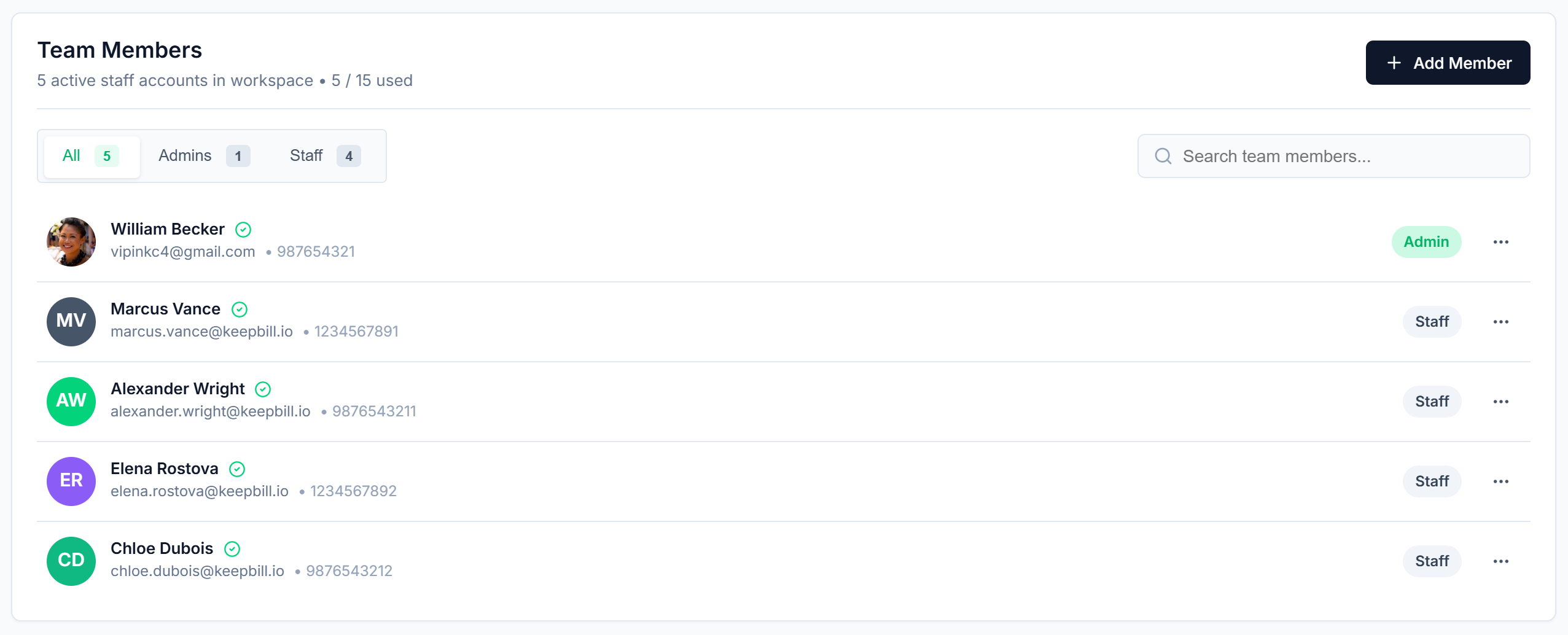
Role-Based Access Control (RBAC) & Team Management

Assign distinct Administrator and Staff roles. Restrict sensitive revenue analytics while enabling fast front-desk intake.

Included Controls:
✓Scoped role levels: Administrator and Staff with 26 granular permission toggles
✓Hide financial reports and revenue totals from front-desk staff accounts
✓Grant front desk access strictly to member search, check-ins, and intake
✓Multi-staff login with unique credentials and audit trail logging
keepbill.app/dashboard/team-management
Role-Based Access Control (RBAC) & Team Management
The Operational Difference

Shared Passwords & Spreadsheets vs. KeepBill Scoped RBAC

Compare executive financial privacy, employee offboarding, and operational scoping between shared accounts and KeepBill.

Operational Aspect
Shared Master Credentials
KeepBill Automated RBAC
Financial Revenue Confidentiality
Staff and trainers see total revenue, monthly bank balances, and billing settings
Strict RBAC: front desk staff are 100% locked out of MRR, total revenue, and billing
Login Credentials
Single master username and password shared across all receptionists and trainers
Individual email accounts with unique passwords and timestamped audit activity logs
Employee Offboarding
Changing master password and having to re-share new password with everyone on WhatsApp
1-Click instant deactivation terminates the departing staff session across all devices immediately
Operational Scoping
Staff accidentally deleting membership plans or modifying global workspace settings
Staff role is restricted strictly to check-ins, customer registration, and dues recording
Security Auditing
Zero audit trail of which employee marked a payment or checked a customer in
Every payment, check-in, and profile update is timestamped to the authenticated employee

Frequently Asked Questions

Answers regarding role permissions, invites, and staff account security.

No. With KeepBill’s Role-Based Access Control, financial revenue charts, MRR figures, and billing settings are strictly locked to Administrator accounts. Front-desk staff only see operational dues necessary to check members in and record payments.
Get Started In 60 Seconds

Ready to stop chasing members for payments?

Simplify membership management, automated payments, and front-desk attendance tracking. Free forever for up to 25 members with zero credit card required.

Free forever plan
Set up in 60 seconds
Cancel anytime